Concept Card
Much like Wikipedia ties millions of articles together by their titles, Lino lets you build your own wiki of ideas — one Concept Card at a time.
A Concept Card is a Card with a Concept: a unique, reusable name such as "Photosynthesis". A Card without a Concept is a Plain Card — a one-off note. Both are ordinary Cards; the Concept is the only difference.
| Concept Card | Plain Card | |
|---|---|---|
| Has a Concept | Yes, shown in the header | No — the header shows a faint Concept placeholder |
| Can be found by name in other Cards | Yes | No |
| Can have Aliases and a Variable | Yes | No |
| Icon in lists, menus and the Gallery | Concept Card icon | Plain Card icon |
A Plain Card is a jotted note. A Concept Card is a node in your knowledge graph.
Why give a Card a Concept?
Once "Photosynthesis" is a Concept, Lino knows that name. When "photosynthesis" appears in another Card, Lino marks it with a dashed outline (while you're reading, not while you're typing). Click it and choose Create & Link to, and the word becomes a Reference to the Concept Card — and every Reference adds a Connection between the two Cards. You build a graph just by writing. Details: References → Link recognized Concept names.
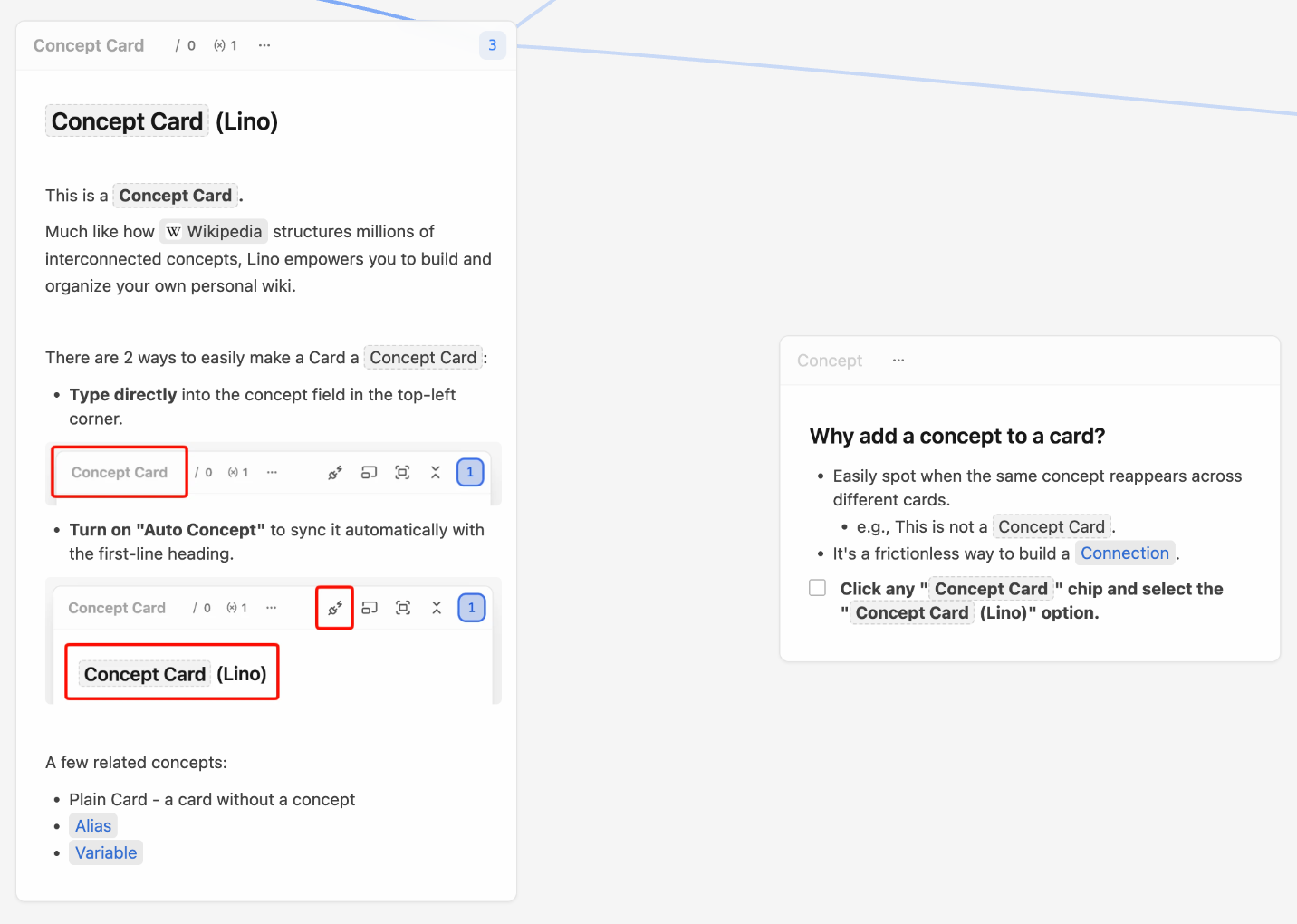
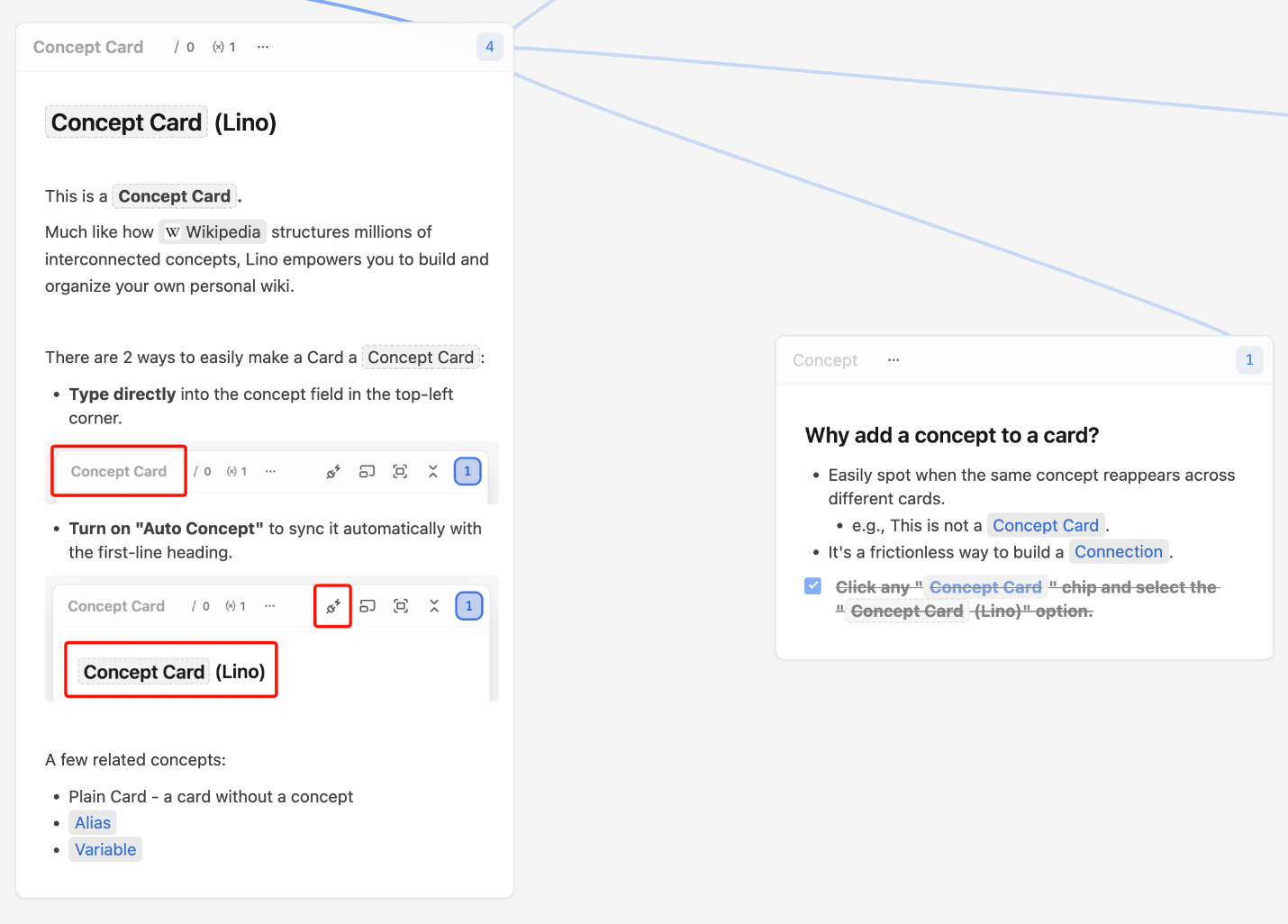
Two ways to name a Card
A Concept Card gets its name in one of two ways. Which one is active is decided by the Auto Concept button in the Card header.
| Auto Concept on (default) | Auto Concept off | |
|---|---|---|
| Where the name comes from | The Card's first heading | What you typed in the Concept field |
| When you edit the heading | The Concept follows | Nothing changes |
| Header button | Plug with a spark — tooltip Unsync Concept | Unplugged plug — tooltip Sync Concept with the first heading |
Auto Concept: the first heading is the name
New Cards start with Auto Concept on. If the first block of the Card is a heading (any level), its text is the Concept. Change the heading and the Concept changes with it; delete the heading, or start the Card with a paragraph, and the Card is a Plain Card.
- Make the first line of the Card a heading — type
#followed by the name, or pick Heading 1 from the/menu. - Type the name, e.g.
Photosynthesis. The header now shows it as the Concept.
You can write Aliases and a Variable right in the heading, e.g. # Apple / 苹果 (fruit). See Alias & Variable.
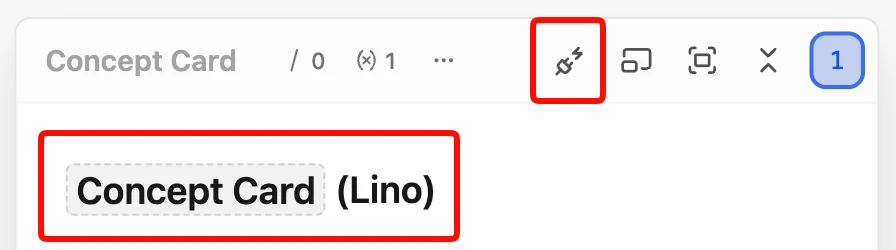
Type a Concept in the header
- Click the Concept area in the top-left of the Card header (it reads Concept when empty).
- Type the name in the box that opens. The hint
Concept / Alias (Variable)reminds you of the naming syntax. - Press
↵, or click anywhere outside the box.

Typing a Concept by hand pins it: Auto Concept turns off, so later edits to the heading no longer rename the Card. The heading keeps its text, minus any / alias or (variable) parts.
With a pinned Concept, the name already acts as the Card's title — you don't need to repeat it as a heading in the body.
Turn Auto Concept on or off
Hover the Card and click the Auto Concept button in the header (it sits to the right, next to the fold button).
- Turning it off (Unsync Concept) removes the Concept: the Card becomes a Plain Card, its Aliases and Variable are cleared, and the heading keeps only the plain name. If you want to keep a name that no longer follows the heading, type it in the Concept field instead.
- Turning it on (Sync Concept with the first heading) reads the first heading again and uses it as the Concept.
Both are undoable with ⌘Z. You can also switch it in the Card's Properties.
Remove a Concept
Click the Concept field, delete the text, and press ↵. The Card becomes a Plain Card and Auto Concept stays off, so the heading won't quietly name it again.
Renaming a Concept
Rename a Concept Card any way you like — heading, Concept field or Properties. Nothing breaks, because a Reference points at the Card, not at the word:
- A Reference chip in another Card whose words were the old name changes to the new name.
- A chip whose words you changed yourself (for example, one that shows an Alias) keeps its words.
- If you delete an Alias, chips that used it switch to the Concept.
- If you remove the Concept entirely, existing chips stay chips and still point at the Card.
When Auto Concept is on, chips follow the new heading once you finish editing the Card, not on every keystroke.
When a name is already taken
Within one Variable, a name — Concept or Alias — can belong to only one Card. Matching ignores case, so Apple and apple clash.
If a Card ends up with a name another Card already uses, Lino marks it with a red warning icon in its header (tooltip Conflicts with "…") and opens the Concept Already Exists dialog. The Card you edited most recently is the one asked to change; the other keeps its name.
In the dialog you can:
- Edit this Card's name right there — its Concept, Aliases and Variable are shown as editable rows.
- Give it a Variable, so the same name lives in a separate namespace (
Apple (company)). - Turn Auto Concept off if the name came from the first heading, then type a different one.
- Delete This Card, if it really is a duplicate. You can undo it with
⌘Z. - Double-click the other Card in the list to fix that one instead. The two swap places in the dialog; nothing is deleted or renamed by the swap.
Hover Why this? for a short explanation. The dialog has no close button while the clash exists — it comes back, even after restarting Lino, until the names differ. Once they do, the title changes to Conflict Resolved, and you choose Done to keep the change or Undo to revert it.
Related
- Alias & Variable — more names for one Concept, and the same name for different Concepts.
- References & chips — how Concept names in your writing become links.
- Connection — what those links become on the Canvas.